Introduction
In this post, I will announce the already released launch of a tool (PaperLab AI) and the improvements applied to the Merged Databases Quantitative Analysis tool.
PaperLab AI
In this other post, I explain in detail what the tool is and what it is used for. I highly recommend that you visit it if you are interested in generating scientific article scopes based on the PDFs you have downloaded and read. It will generate all the sections that make up a scientific article (Introduction, Theoretical Framework, Methodological Procedures, Results, and Discussion).
Merged Databases Quantitative Analysis
In this tool, I have added new features, in addition to adjusting the standardization of journal names. I will list each main change below:
Addition of Big Numbers:
You can now view the total count of certain categories, such as documents, authors, and journals.
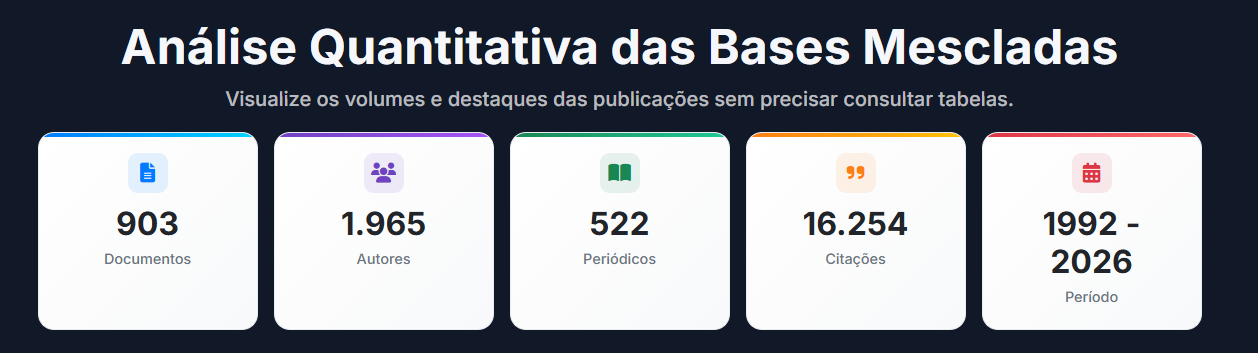
Image Description Generation:
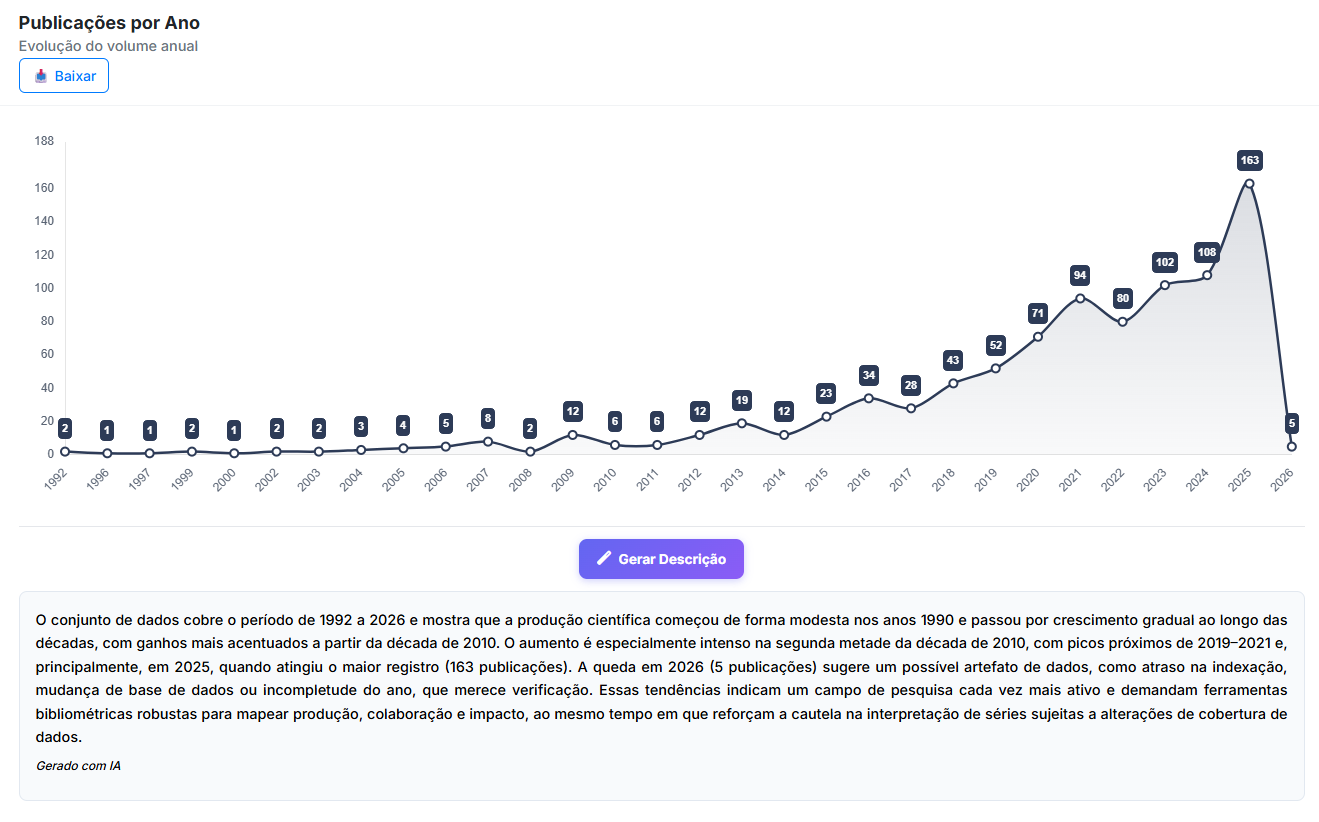
If you see an image or a word network but do not fully understand it, you can click the "Generate Description" button and, automatically, a paragraph describing the previous chart or table will be generated.
See the example below, I will click the "Generate Description" button:
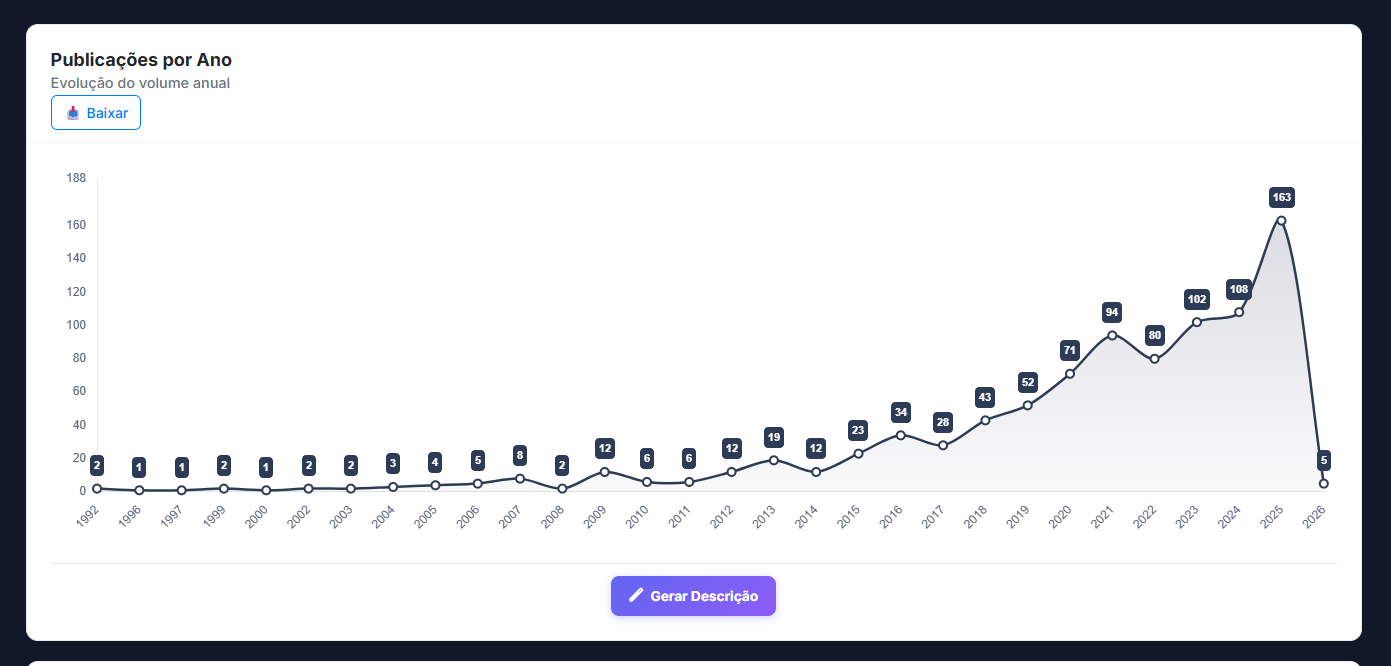
Now, you will be able to see the description of the temporal chart:
But this chart may seem somewhat obvious. Yes, I agree, but what about this one?
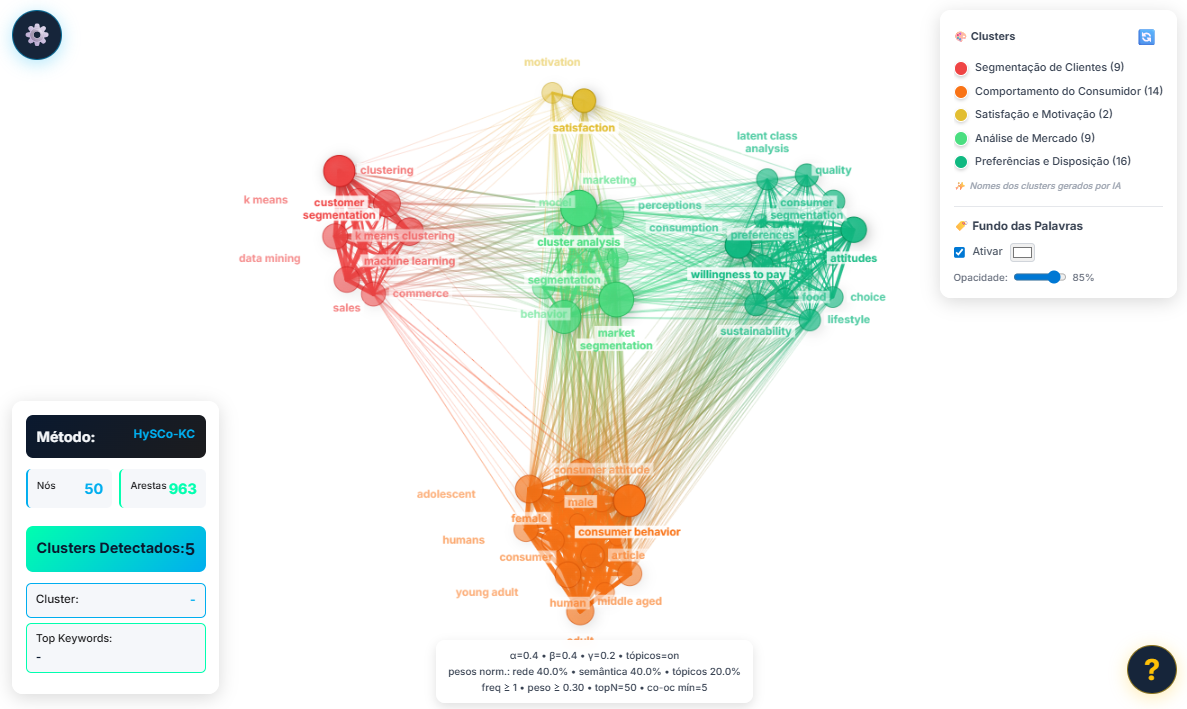
There is also an option to generate its description:

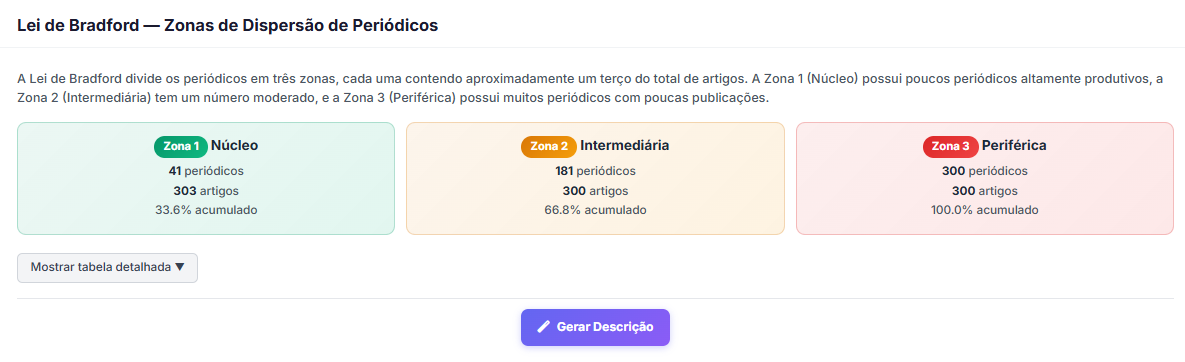
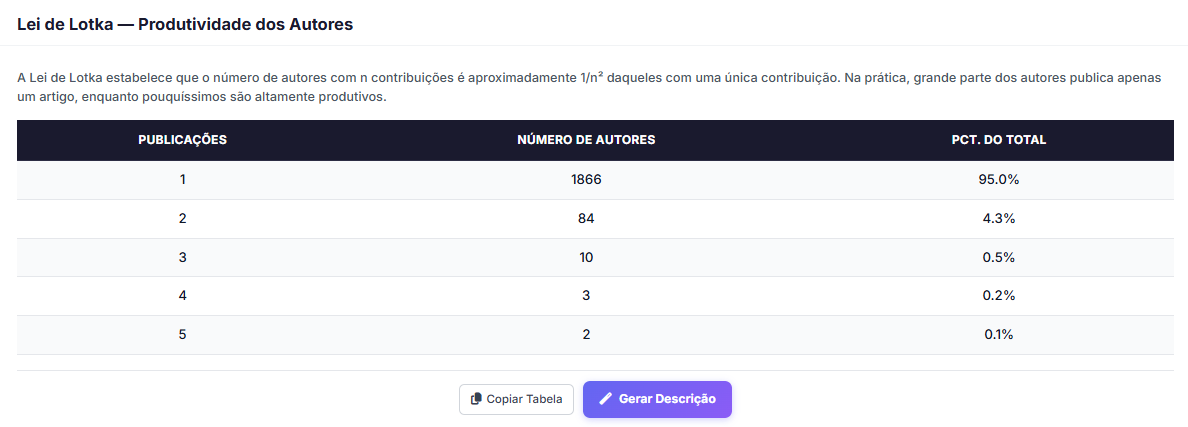
Addition of Bradford’s, Lotka’s, and Zipf’s Laws
To provide greater robustness in the analysis of metadata obtained through data merging, it is now possible to view tables related to each bibliometric law.
Bradford’s Law:
Lotka’s Law
Zipf’s Law
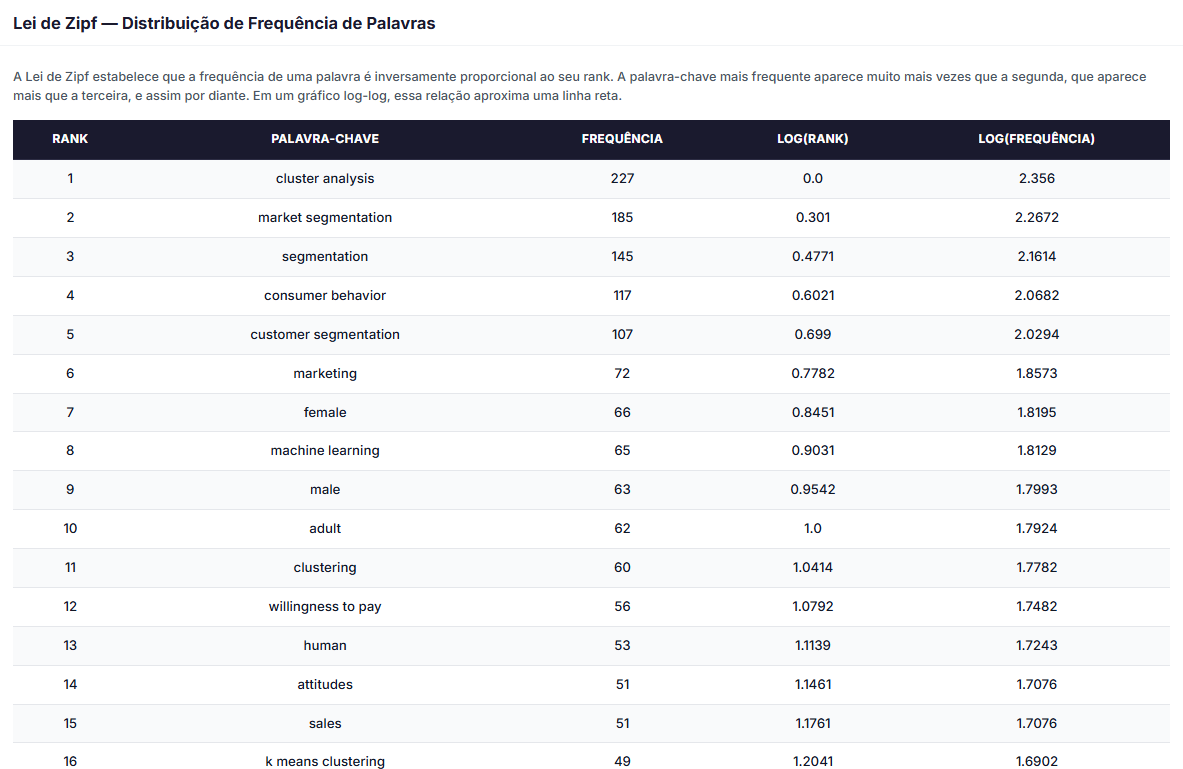
This way, you will be able to obtain different insights to develop your research focused on bibliometric reviews and analyses.
That’s all for today. Remember that, to use the tools, you need to create an account at this link. It’s fast, easy, and free.
