Introduction
Overview of the Update
There have been significant changes to the platform’s infrastructure as well as to its tools. The main change is related to the credit system, which allows new users to access all Xplore Dados tools with certain limitations, while unlimited usage is reserved for platform subscribers. To learn more, visit the Xplore Academy section.
In addition to the credit system, several tool improvements were implemented, such as the ability to view the history of merged datasets and the new layout of the SmartChat tool.
Within the Quantitative Analysis module, a new visualization showing keyword network relationships was also introduced. Beyond the methodology used to build this visualization, users can now move nodes more easily, improving the overall user experience. You can learn more about this new visualization here.
All these updates are detailed below.
Credit System
All users can now access Xplore Dados tools. Upon registration, you receive a certain amount of credits that can be used to operate the tools. Credits do not expire and can be used at any time.
In the upper-right corner of the platform, you can see your available credit balance:
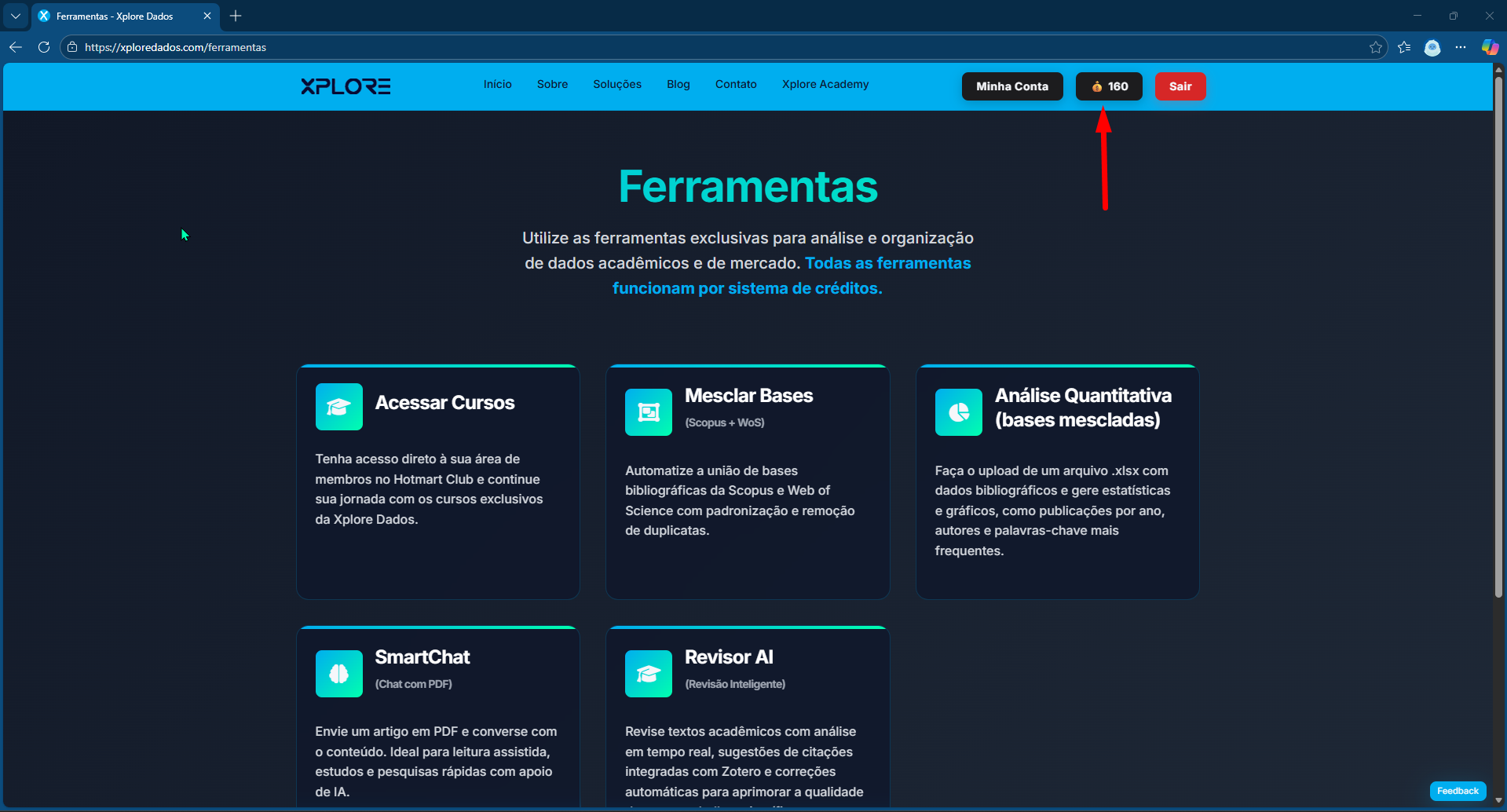
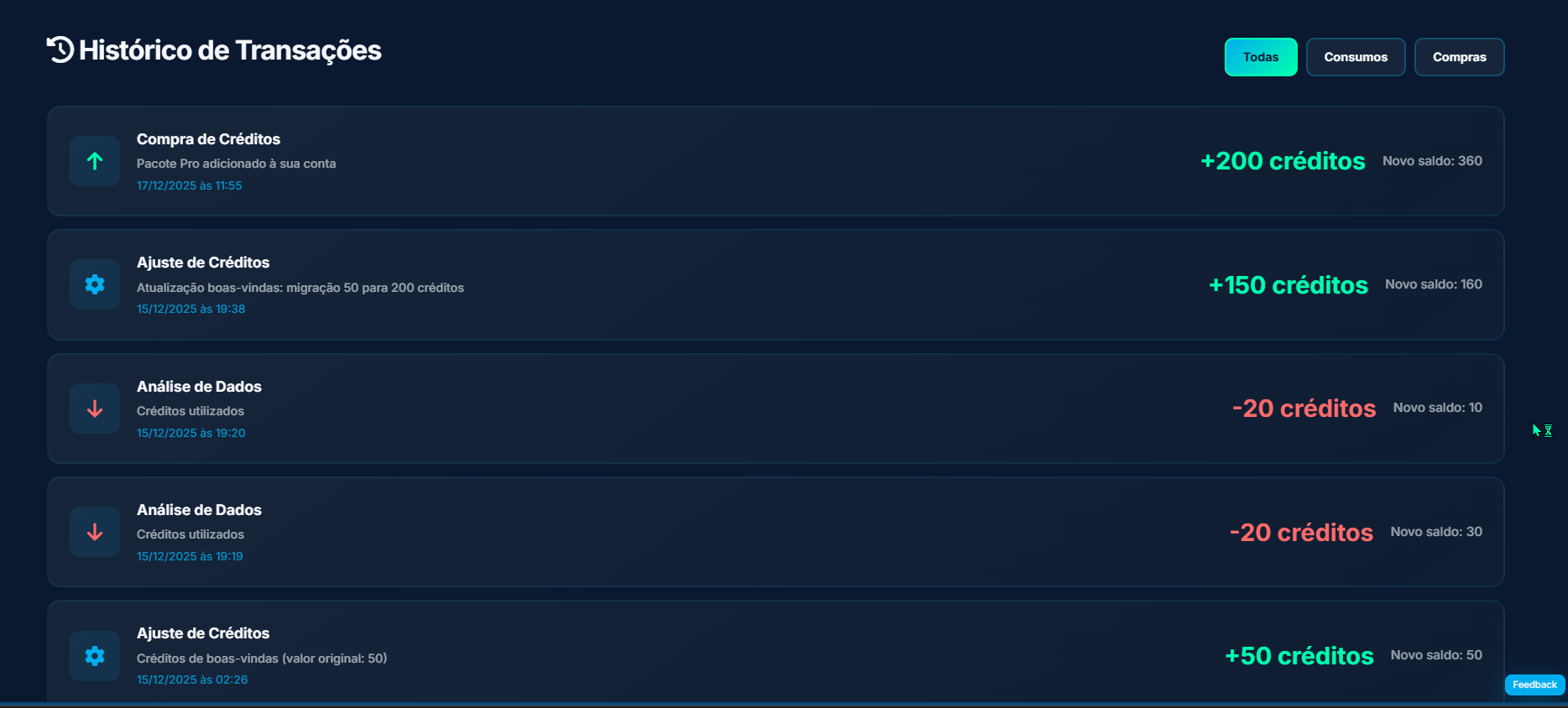
By clicking on it, a page will load showing how many credits you currently have, how many credits you have acquired, and how many transactions have been completed.
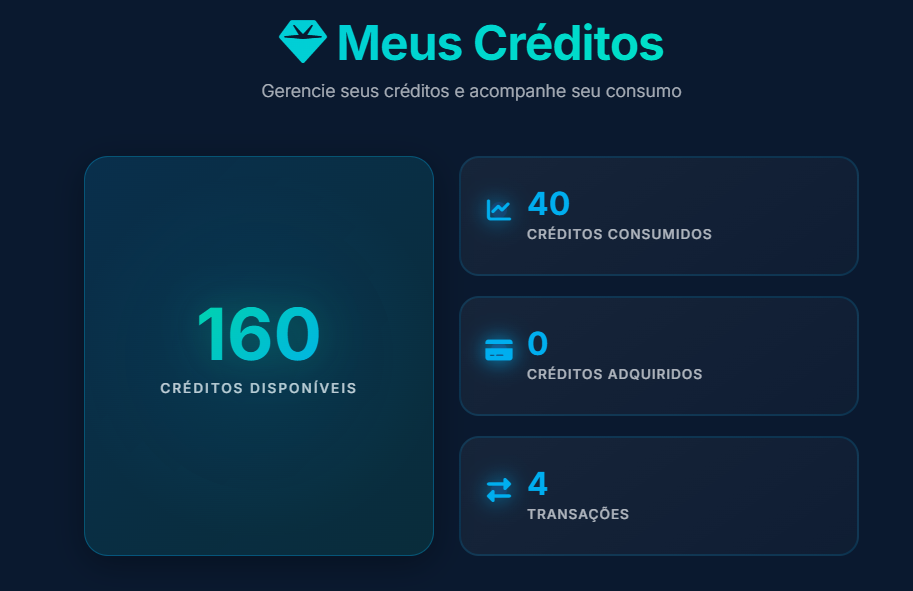
On this same page, you can also see the available options to purchase additional credits.
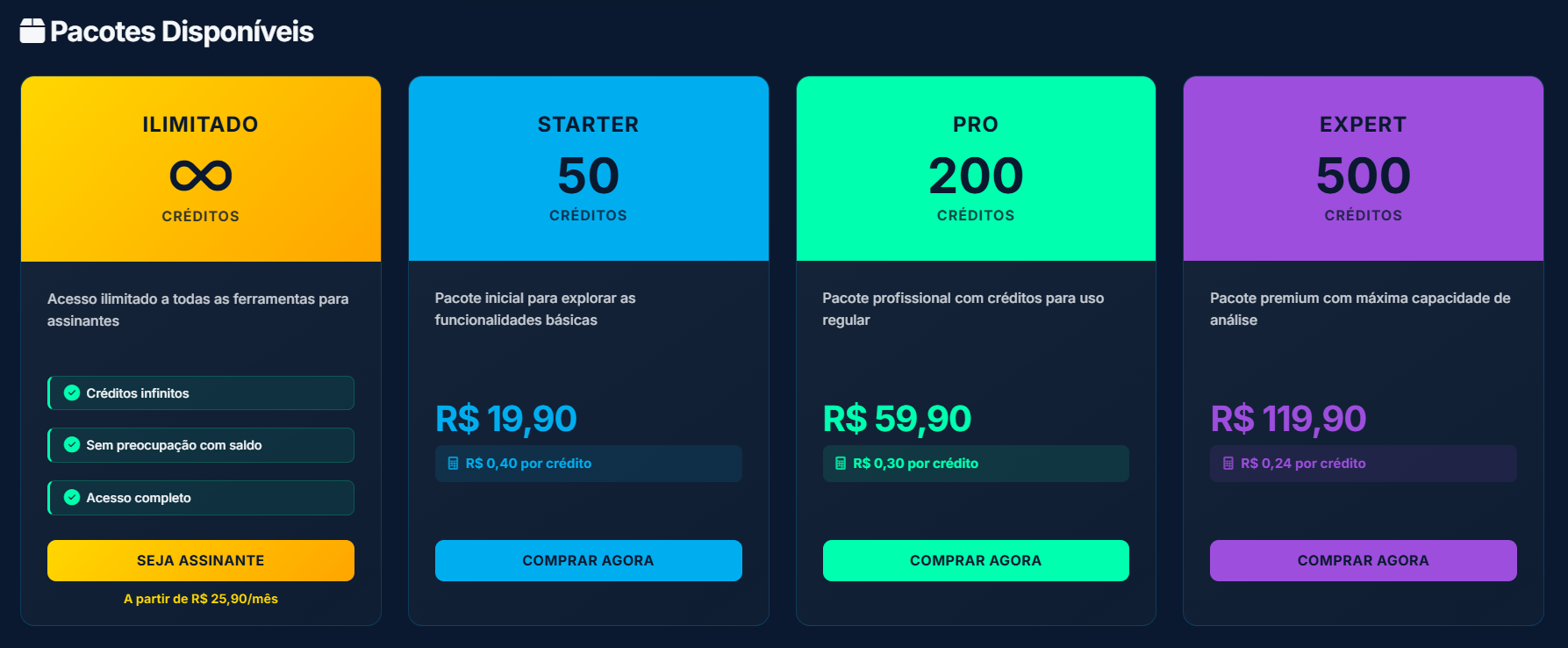
As shown, subscribers have unlimited credits. In addition, there are three credit packages available for purchase: Starter, Pro, and Expert. Payments are processed via Stripe, a globally used platform for digital services and subscriptions. An example is shown below.
If you choose to purchase the Pro package, you simply click the “Buy Now” button and you will be redirected to the payment page:
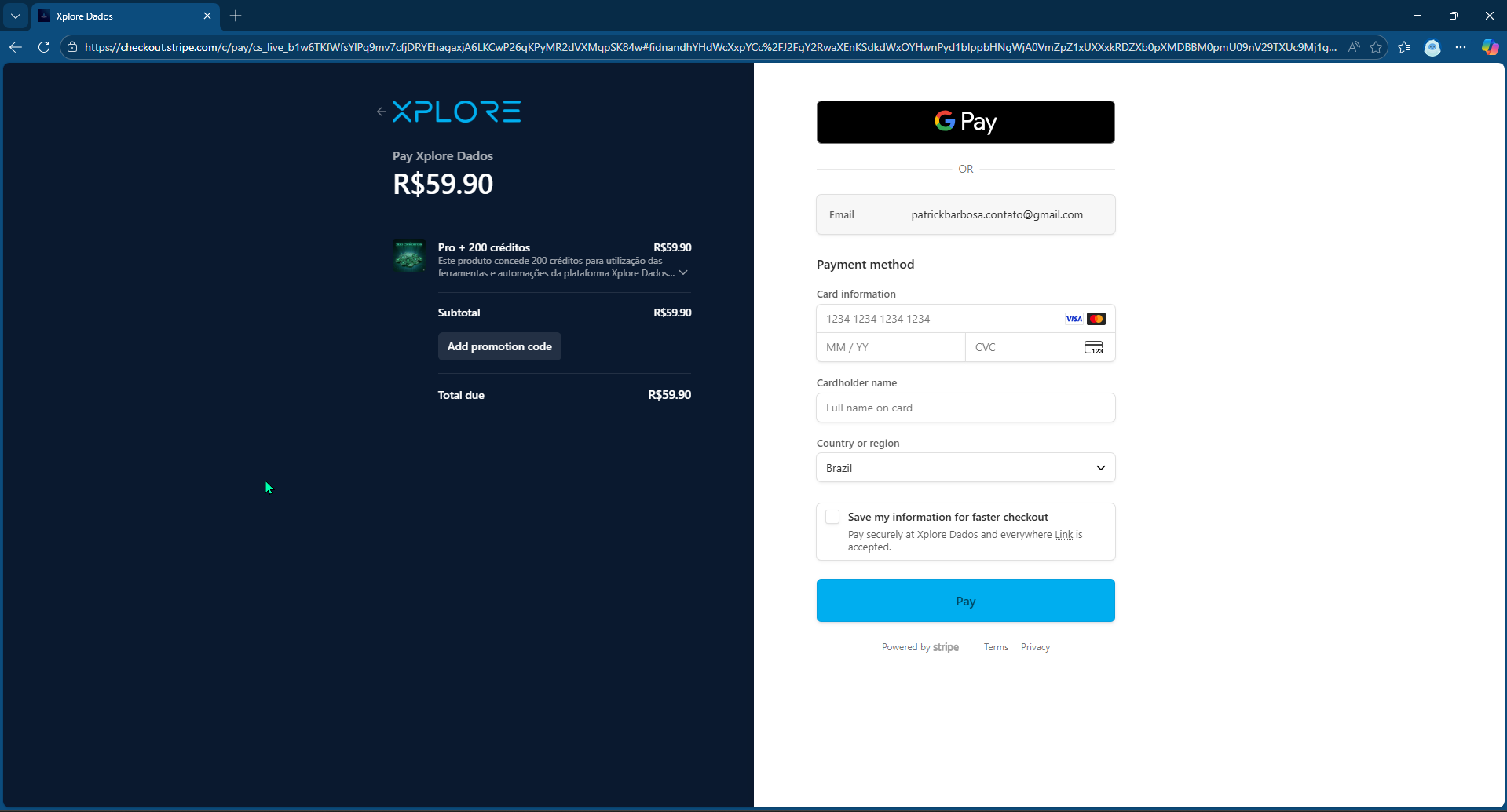
There, you can enter your details and complete the purchase. If you have read this far, thank you very much - I can see that you are genuinely interested in Xplore tools. As a courtesy, here is a coupon that grants you a 30% discount on your purchase: simply enter XPLORE30 and apply the discount.
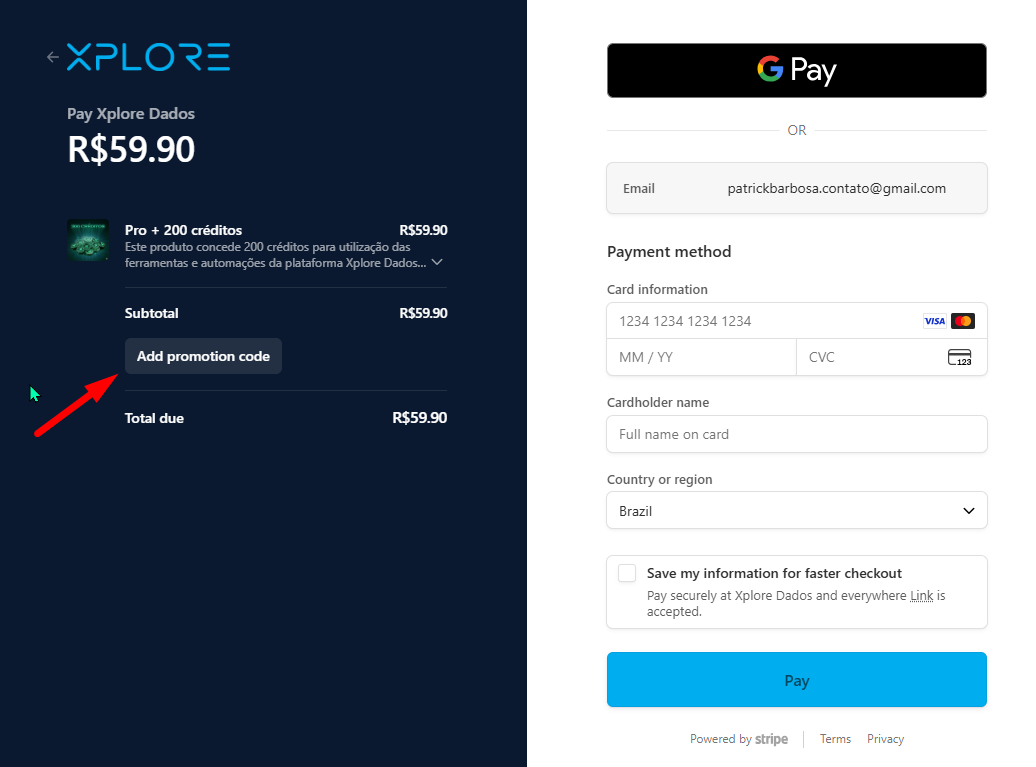
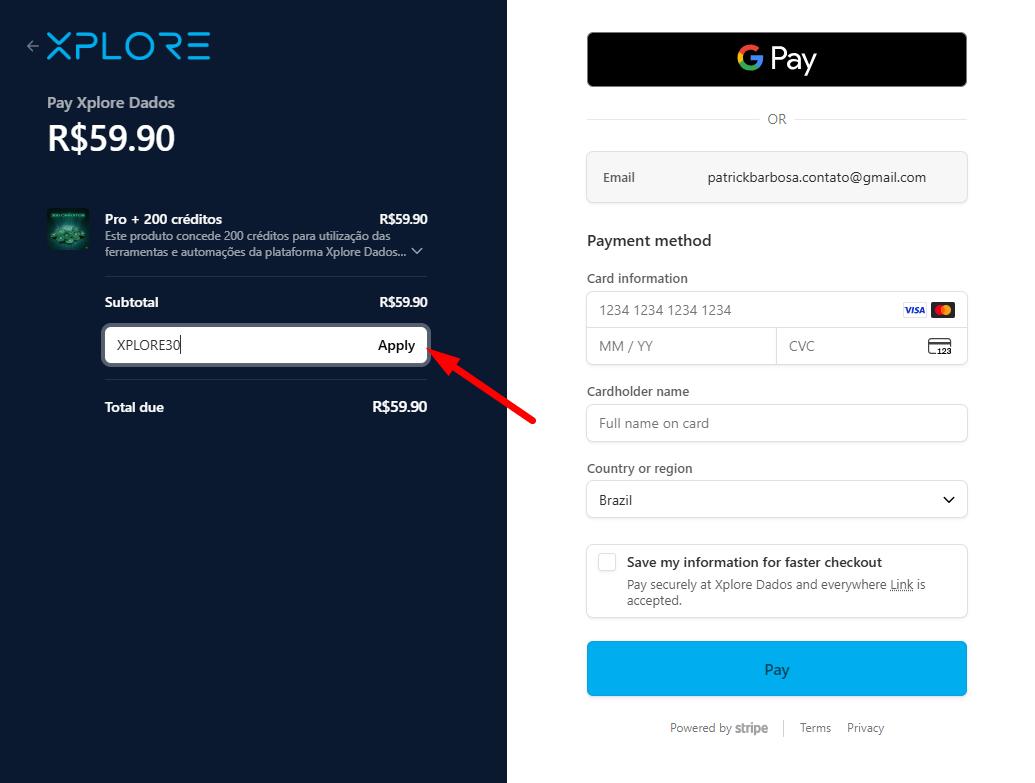
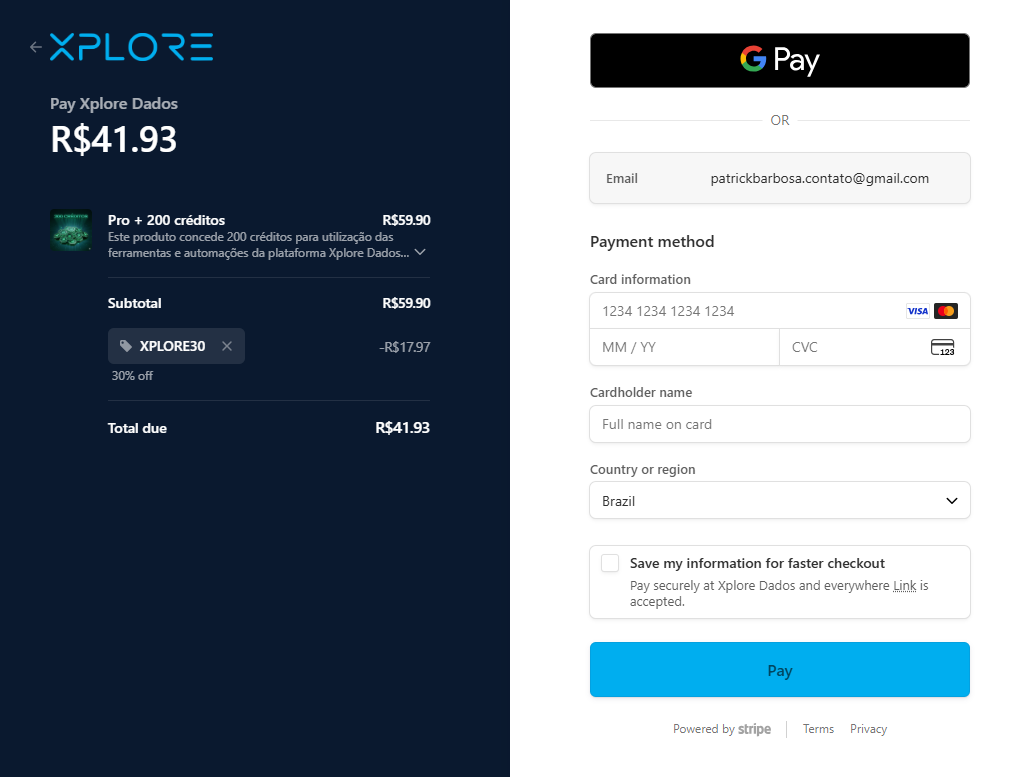
After completing the payment, you will be redirected to the following page:
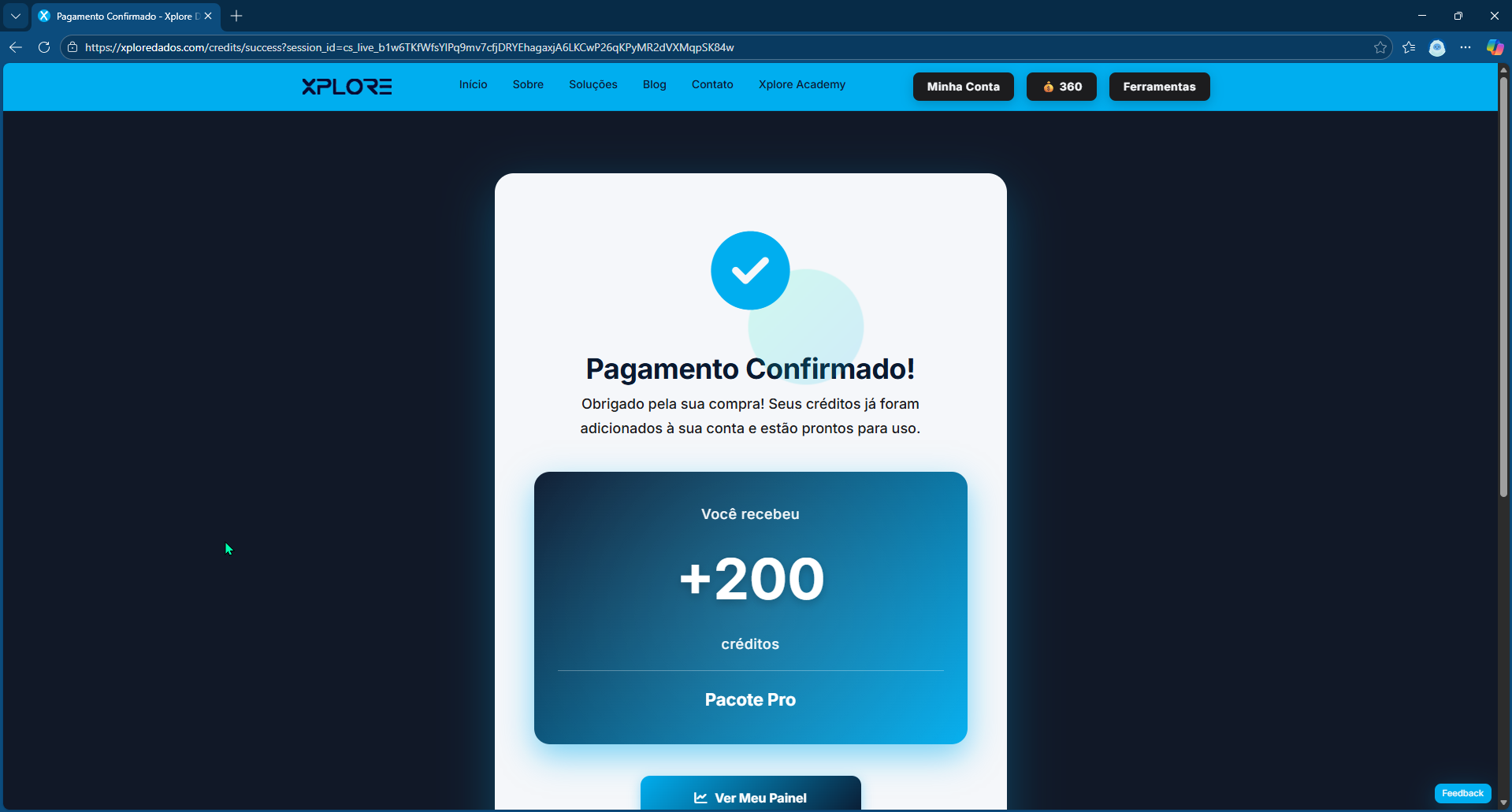
Note that the number of credits has already been updated:
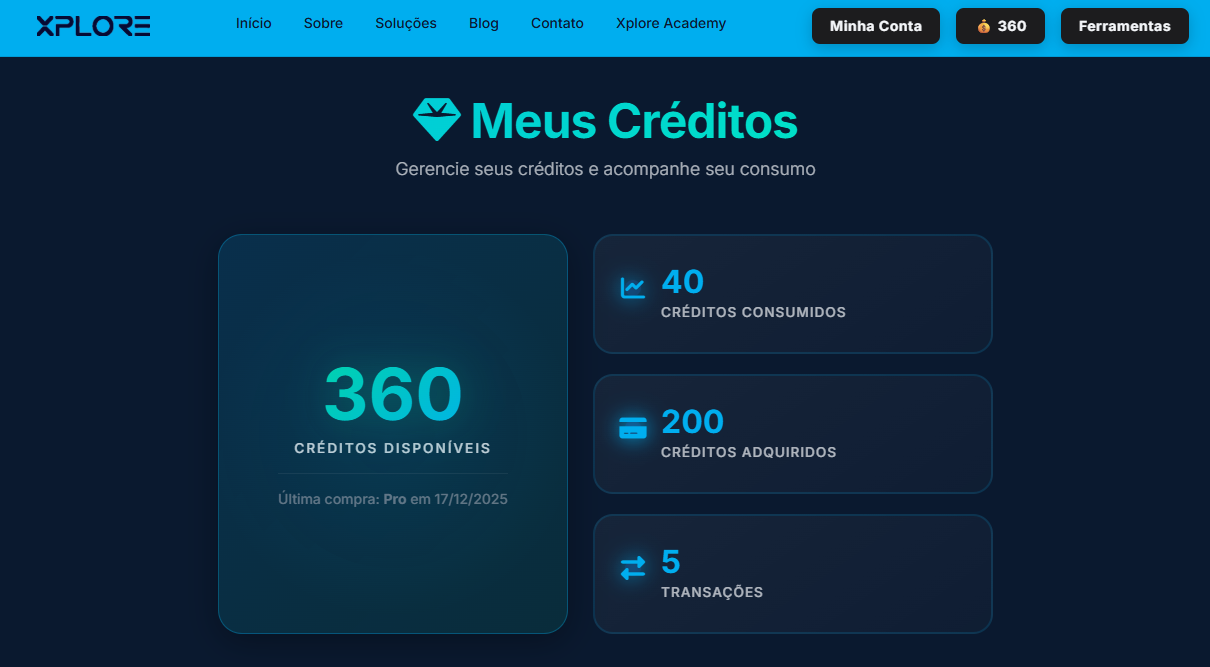
Note: If you are a subscriber, you will see an infinity symbol, indicating unlimited access to the tools.
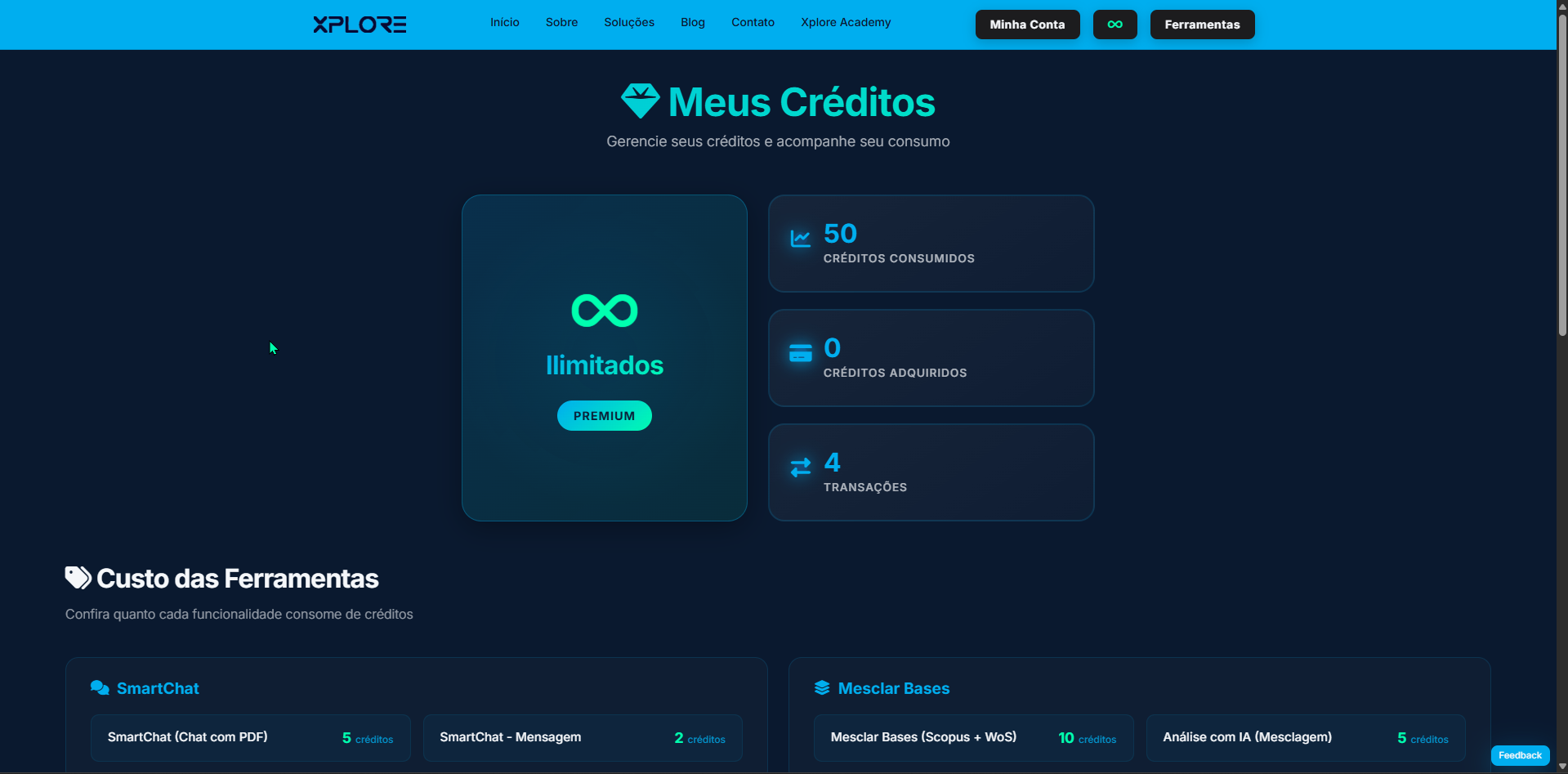
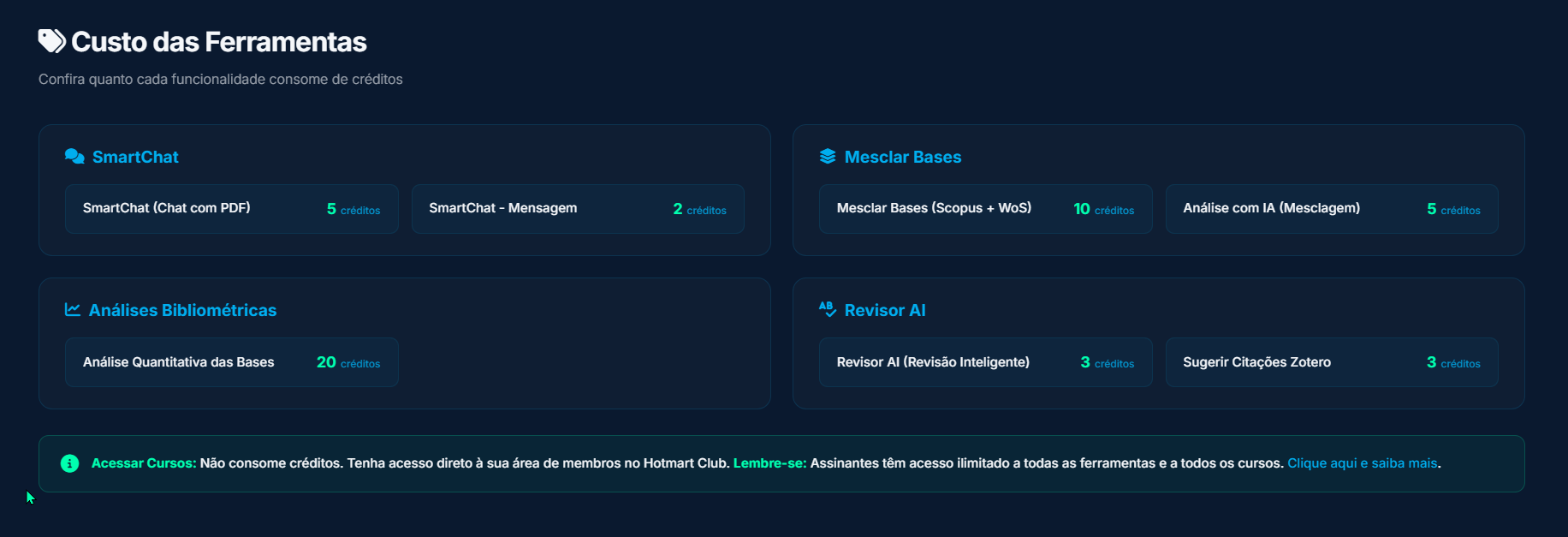
On this page, you can also view the current cost of each tool:
And your transaction history:
The implementation of the credit system allows users to access all tools without requiring a subscription. At the same time, it highlights the flexibility offered to subscribers, who can freely use all tools, access available courses, and receive direct guidance in the development of their research projects.
History of Merged Datasets in “Merge Databases” (Scopus + WoS)
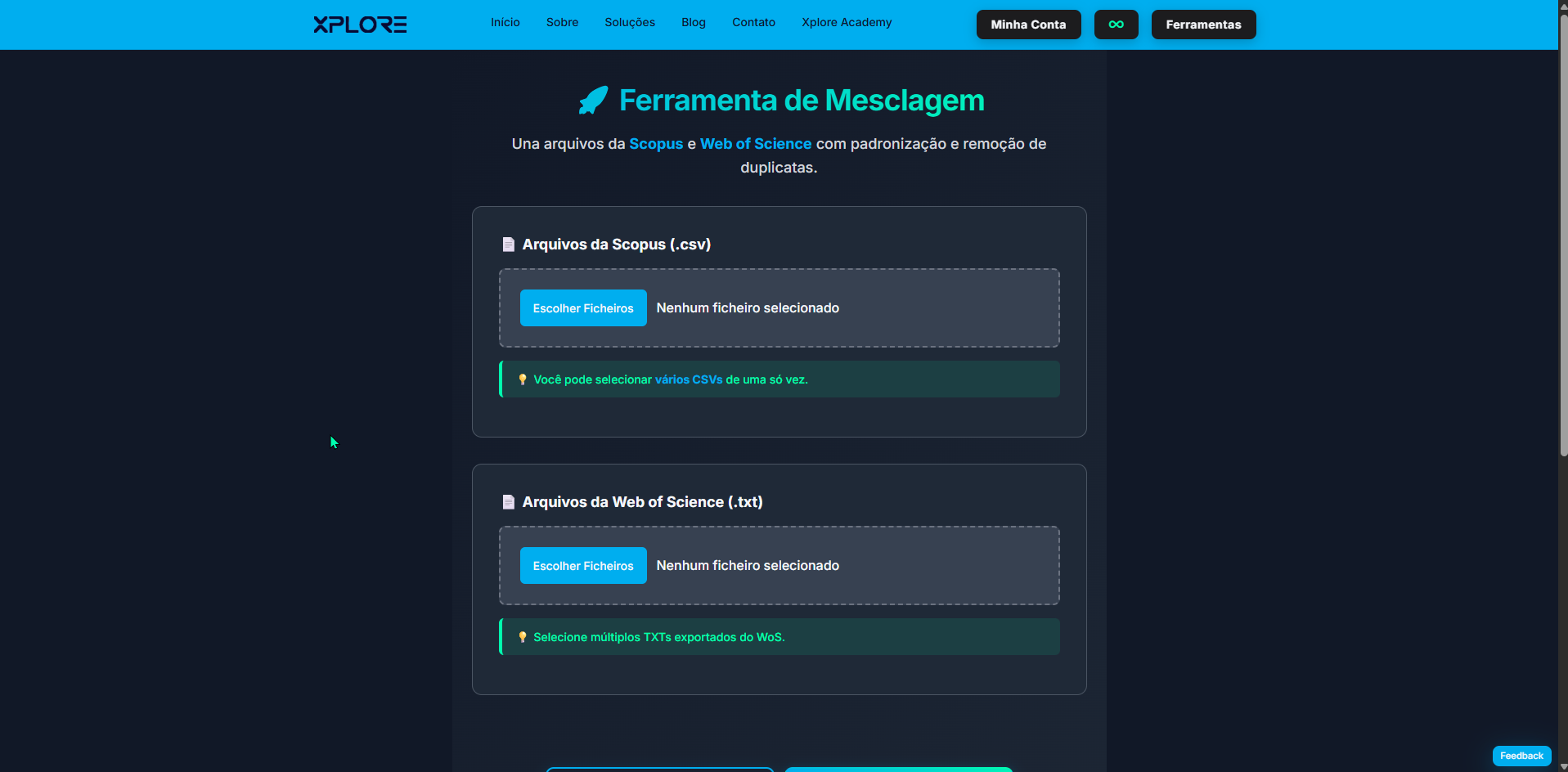
You no longer need to perform the same merge again or try to remember what you previously merged. The Merge Databases tool now allows you to access previously merged datasets and rename them for easier identification.
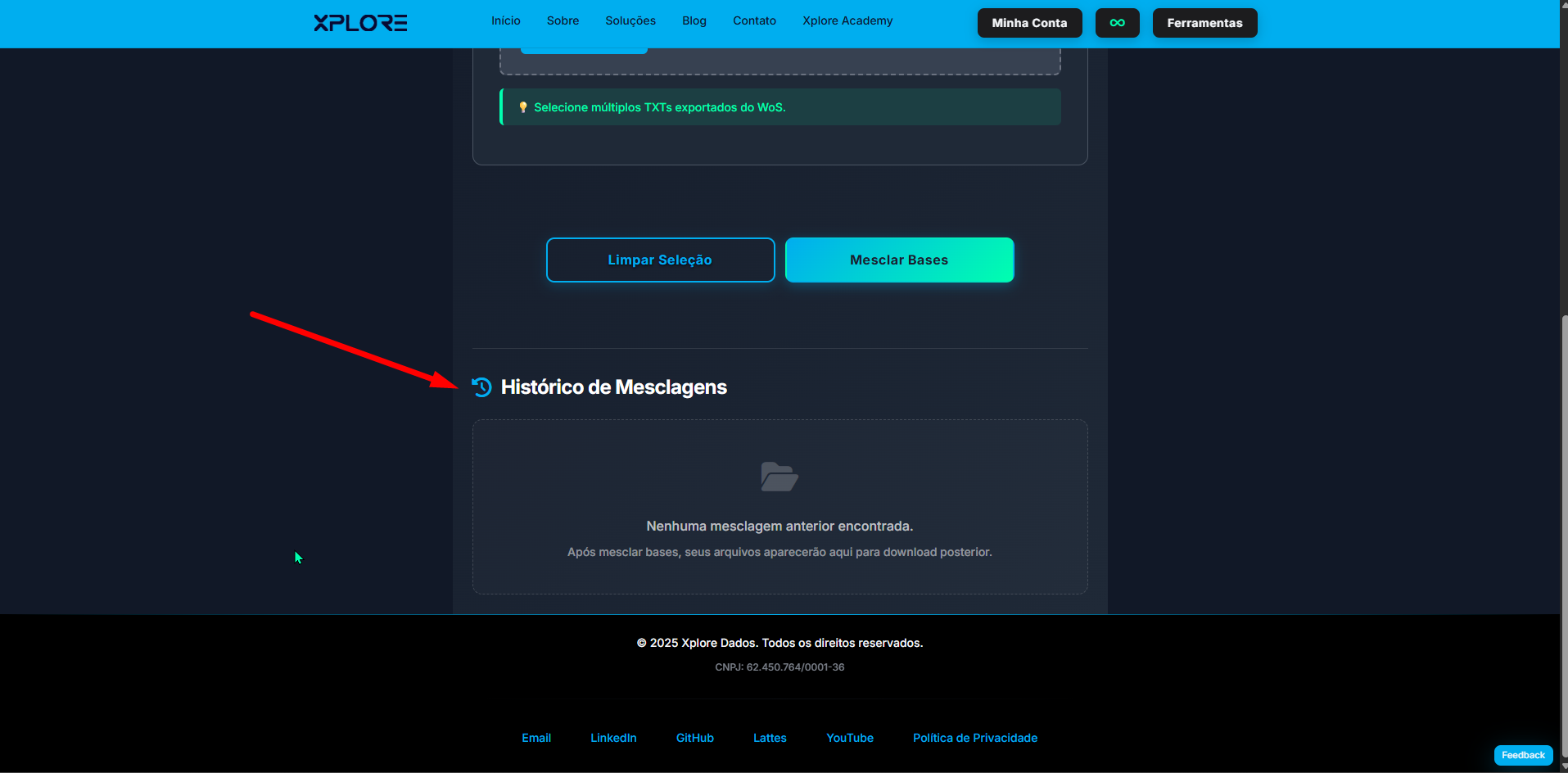
On this page, you can scroll down to view your merge history:
If you have not merged any datasets, no history will be shown.
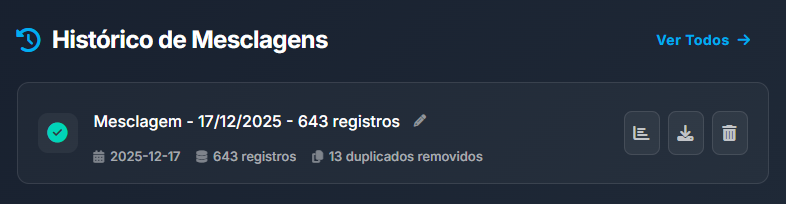
After performing a merge, you can view the merged file and:
-
Edit the title (e.g., “Merge – 12/17/2025 – 643 records”) to any name you prefer;
-
Access the merge results (first button);
-
Download the merged dataset without duplicate records (second button);
-
Delete the record (third button).
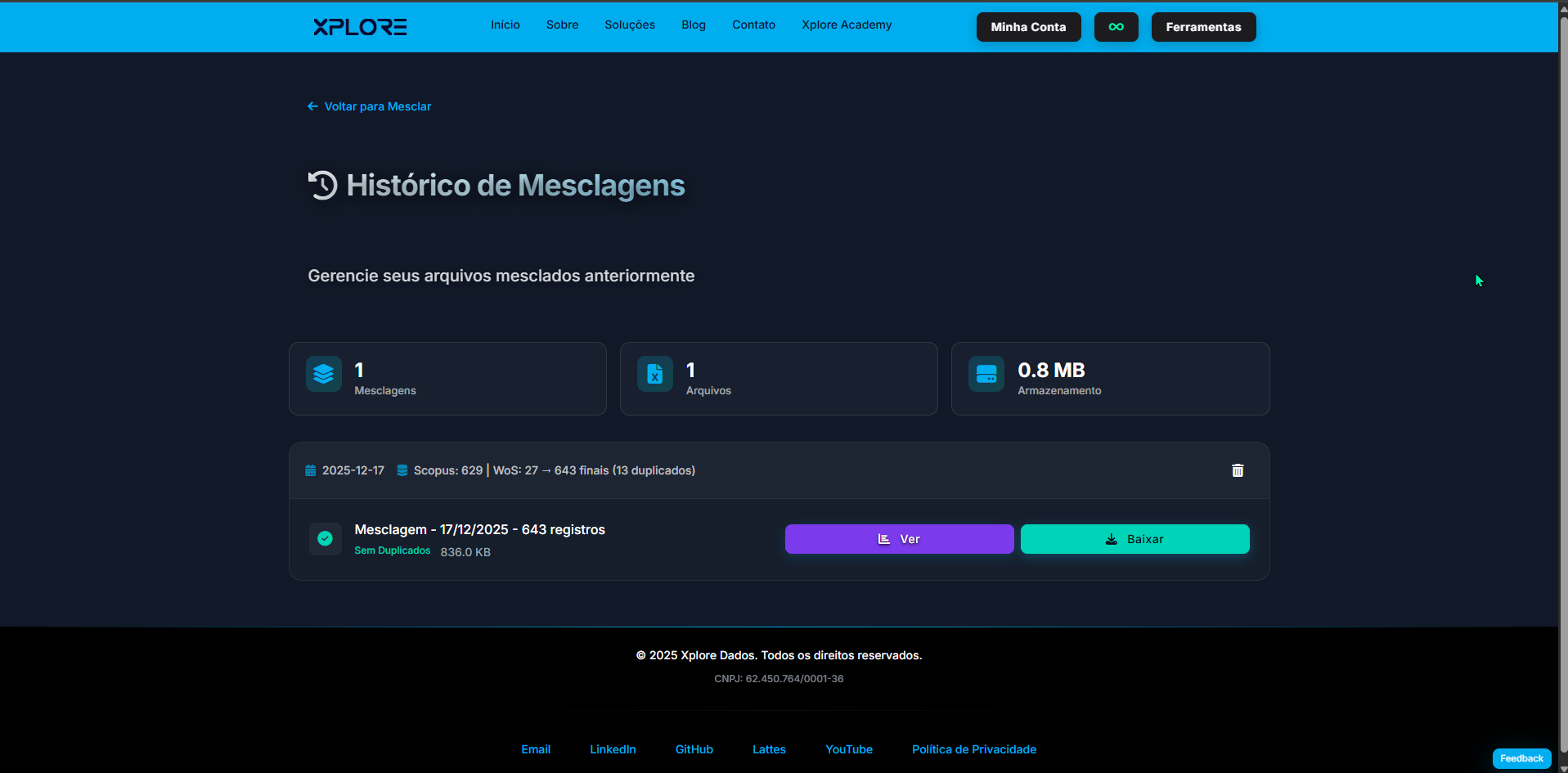
If you have many merges, you can also view all of them on a separate page.
This concludes the update for the Merge Databases tool.
New SmartChat Layout
SmartChat has a new look. Its key differentiator remains the preconfigured prompt and the way shared PDFs are handled. The tool extracts the entire content of the PDF and, combined with the prompt, aims to provide more reliable answers with a lower risk of AI hallucination.
With the new SmartChat layout, you can view your conversation history, rename conversations, and delete them.
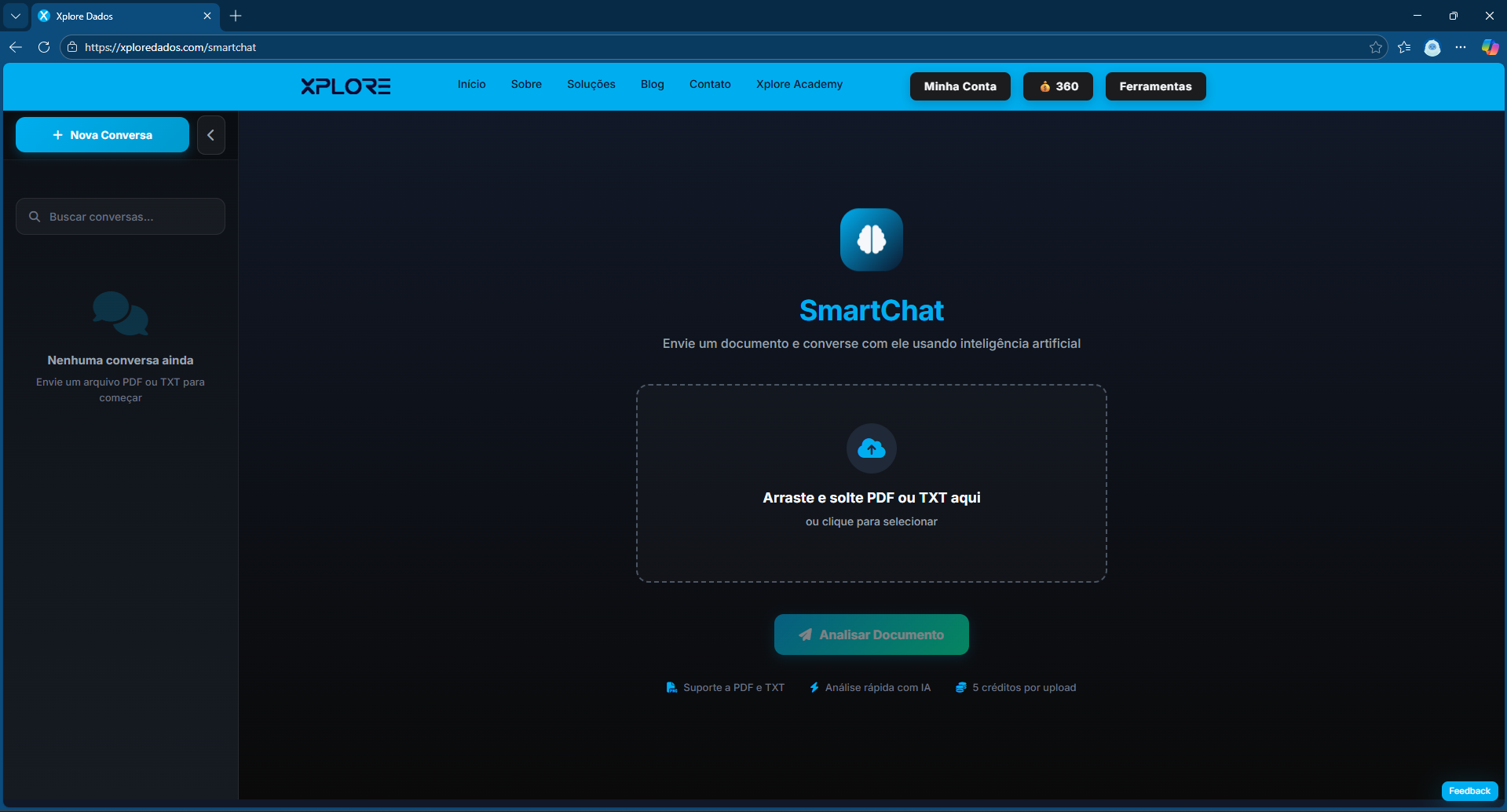
Preview: the next update will focus on handling documents with the .docx extension, i.e., Microsoft Word files.
Conclusion
The updates presented reinforce the core objective of Xplore Dados: to make advanced research support tools more accessible, organized, and reliable, without compromising methodological rigor or user experience. The new credit system expands access for new users, while subscribers gain full freedom of use, exclusive courses, and closer support in the development of academic and applied research.
Improvements to tools such as Merge Databases and SmartChat, together with visual and methodological advances in keyword network analysis, demonstrate a platform in continuous evolution, aligned with the real needs of researchers, students, and market professionals.
I strongly recommend visiting Xplore Academy, exploring the full ecosystem, testing the available tools, and assessing in practice how they can optimize your workflow in systematic reviews, bibliometric analyses, and research projects in general.
Access: https://xploredados.com/xplore-academy
Contact: contato@xploredados.com
